This is another way to check whether our PHP works well and also check PHP version. We will create PHP info file.
1. Create PHP info file in root html folder
vi /var/www/html/info.php
2. Input this code
<?php

phpinfo()

?>
If You do not understand how to insert/update, save, discard file content with vi command, please visit this link
3. Save it
4. Now open your IP or domain name through browser, add /info.php on the end of it. example : http://www.yourdomainname.com/info.php or XXX.XX.XX.XXX/info.php
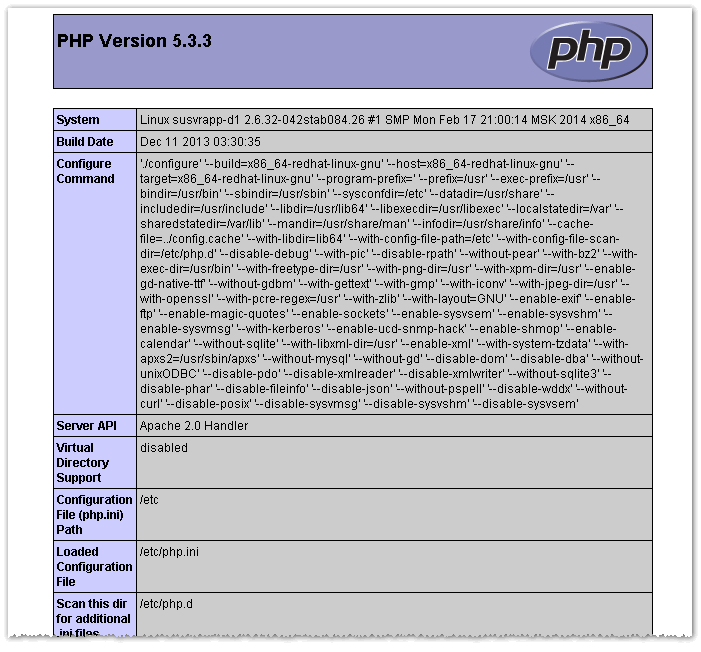
If our PHP works well, we will see this page appear



 M. FAISOL RIZA
Tinggalkan Balasan ke Install PHP on Centos | M. FAISOL RIZA Batalkan balasan