Now we will talk about making new route in ASP.NET MVC. In the other article we have talked about modify/change the default route in ASP.NET MVC.
To create new route, open file RouteConfig.cs in App_Start folder
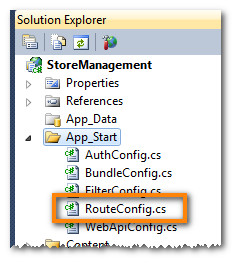
We can see the default route in RouteConfig.cs. Now we will add new route. Before that, we must remember that the ordering we write the code for route will affect how application work.
Example for new route :
routes.MapRoute(
     name: "Country", //Route name
     url: "Country/{name}", //Route url
     defaults: new { controller="Country", action="Search"}
);
Then in controller folder, create new controller called “CountryController”. Add action called “Search” with string parameter called “name”
public ActionResult Search(string name)
{
     return Content("This is Country controller "+name);
}
Run the application (F5). On the url, add “/Country/Indonesia”. Then we will see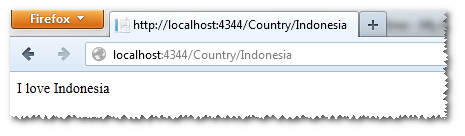
Thank You. Have a nice day ^_^




 M. FAISOL RIZA
Tinggalkan komentar