Pre condition :
OS : CentOS 6
SSH tool : Putty
Apache is a free webserver. This post will explain how to install it on our VPS.
1. Open your putty, and connect to your VPS with root previlage
2. Type install command on the terminal
sudo yum install httpd
wait for the download confirmation. Type “y” (without quotes) after appear question
Is this ok [y/N]:
After the installation finish, start the apache service by typing this command
sudo service httpd start
3. Then we should set the process to run automatically when server boots
sudo chkconfig httpd on
If appear error message “Could not reliably determine the server’s fully qualified domain name, using 127.0.0.1 for ServerName“, please read this article for the solution.
To restart apache service, we can use command below
sudo service httpd restart
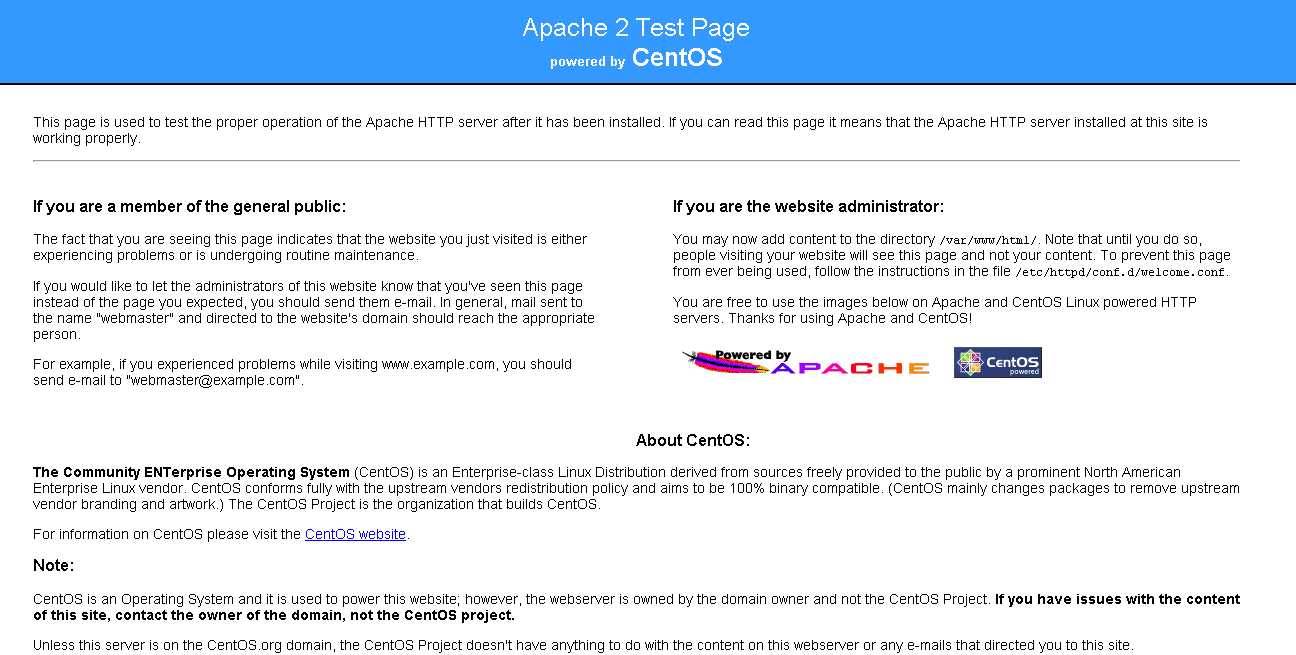
Then check to open your VPS trough browser (pointing to the IP, not IPK). If apache is installed well, this page should be appear
Thank You. Have a nice day



 M. FAISOL RIZA
Tinggalkan komentar